Home › Oil and Gas Services › Vectis Downhole Intelligence
Oil & Gas · Engineering software
Vectis Downhole Intelligence
Our own well engineering software suite. One well file drives torque and drag, fishing and jars, hydraulics and well control, drilling, geomechanics, fracturing, production, log analysis and interactive 3-D wellbore viewers, so the reports, the charts and the 3-D picture of the well all agree. We run Vectis on your well data and send back answers the rig can use.
One well, one file
Every job starts from one well file: the actual directional survey, the wellbore and casing program, the work string and BHA, the fluids and the job. Each Vectis module reads the same file and adds its results, its checks and its layers to the 3-D viewer. Change the string or the friction case and every module works from the same numbers.
What Vectis does today
- ModuleTorque and dragSoft-string hookload and torque every 10 ft on the actual survey, or a stiff-string run through the BHA. Buckling and lockup, fatigue, von Mises stress and connection checks, friction fitted to your own rig readings, free point and back-off, two string designs per well. For drill-outs, cleanouts, TCP runs and workover strings.
- ModuleCoiled tubing, wireline and snubbingCoiled tubing forces, reach and lockup with the limit curve, a fatigue map and reel history. Wireline and slickline tension and reach with the trip curve. Snubbing force against bit depth with the balance points.
- ModuleFishing and jar placementA fishing planner that works the stuck-point diagnosis, free point, back-off or cut, catch tool, jarring, washover and milling through to the fish-or-sidetrack limit, plus ESP cable fishing and thru-tubing fishing on coiled tubing. Jar placement gives the impact and impulse at the stuck point for each number of weight joints above the jar, the hook load to fire, overpull and limits.
- ModuleHydraulics and well controlPressure losses for water, brines, muds, nitrogen and foam, surge and swab, ECD and hole cleaning, and a transient solver for dynamic surge, trip envelopes, managed-pressure schedules, underbalanced windows and cement U-tubing. Kill sheets, kick and kill in time, blowout rate, worst-case discharge and dynamic kill.
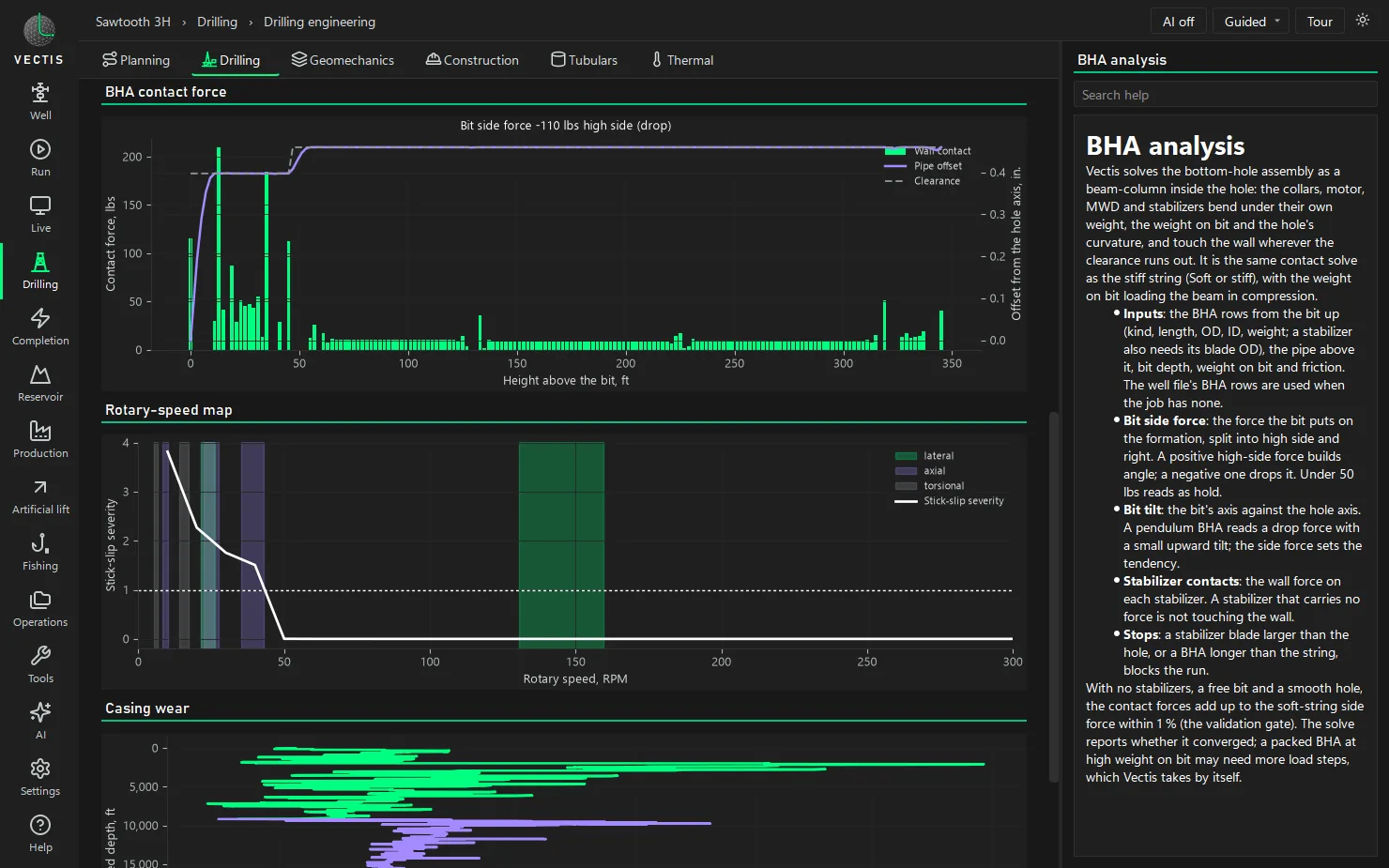
- ModuleDrilling and directional planningBHA side force and build or drop tendency, critical rotary speeds and stick-slip, casing wear, drill string design, bit hydraulics, LCM blends, weight-up and trip sheets. Well plans with survey error models, anti-collision separation factors, the traveling cylinder and magnetic reference.
- ModuleWell construction and tubularsCasing design with burst, collapse and axial envelopes and connection ratings, cement placement, centralizer standoff, packer loads, frac and acid treatment design and well integrity checks.
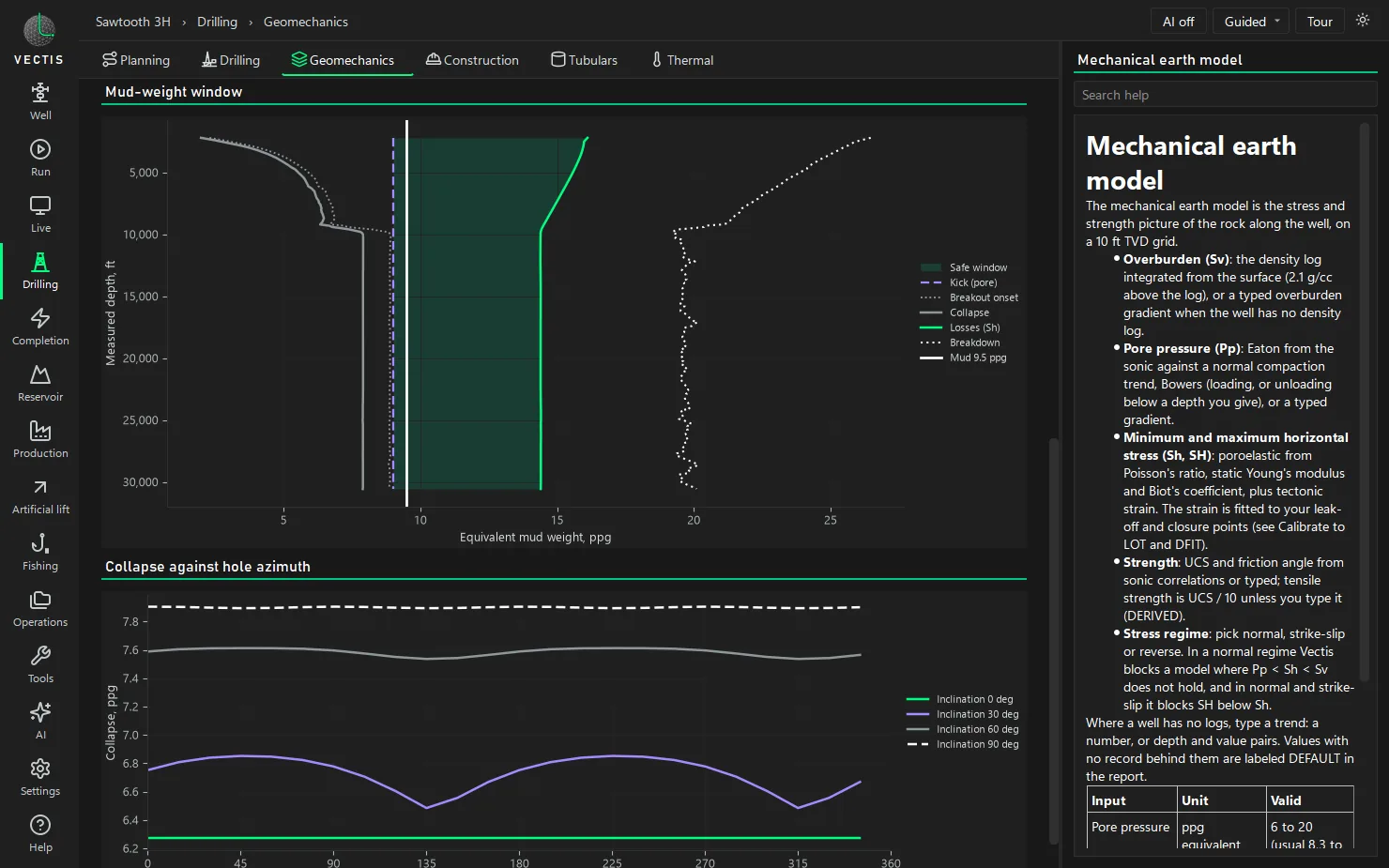
- ModuleGeomechanics and wellbore stabilityA mechanical earth model from logs or typed trends, calibrated to leak-off, FIT and DFIT tests, with the mud-weight window by depth and hole azimuth, breakouts, tensile fractures and sanding.
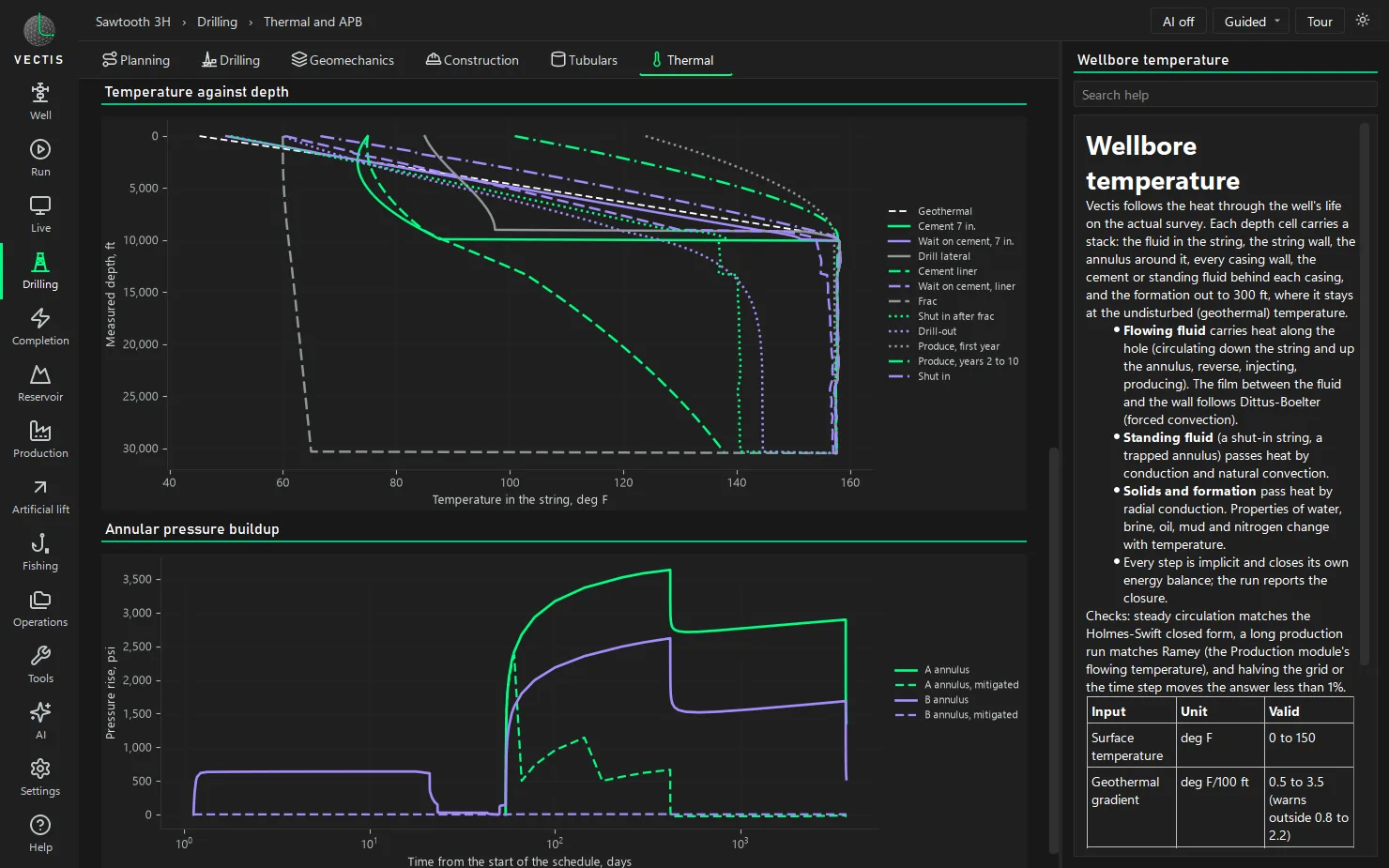
- ModuleThermal and annular pressureWell-life temperatures for every operation, annular pressure buildup in trapped annuli with and without mitigation, thermal loads on the casing and a cement sheath check.
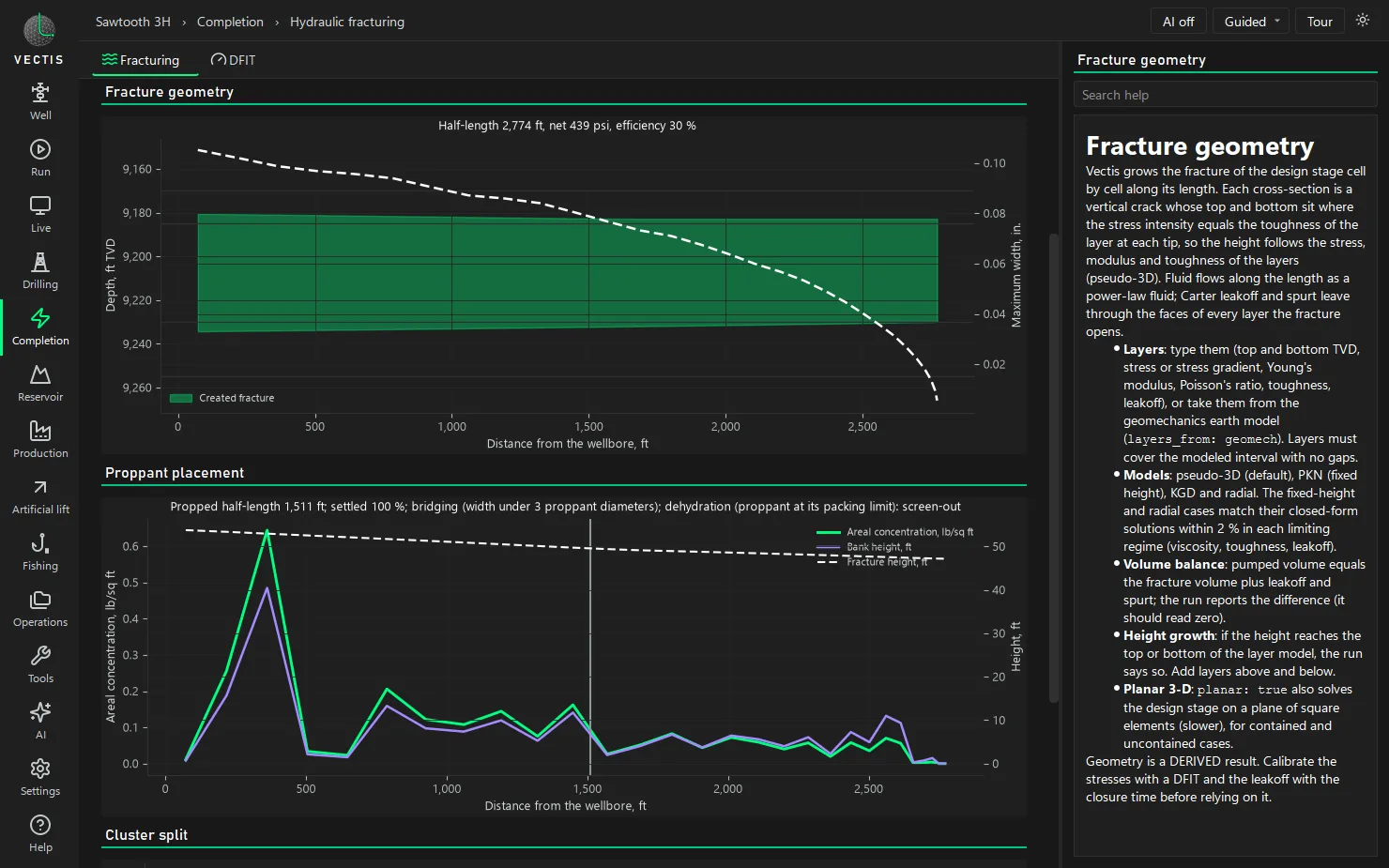
- ModuleHydraulic fracturing and DFITFracture growth in layered stress, limited entry and stress shadow across the clusters, proppant transport and placement, G-function and after-closure analysis, and design against actual treating pressure.
- ModuleReservoir, production and liftPressure transient and rate transient analysis, volumetrics, material balance and a black-oil simulator. Nodal analysis, decline curves, equation-of-state PVT and production networks. Rod pump, ESP, gas lift, plunger, jet pump and PCP design, with run-life tracking.
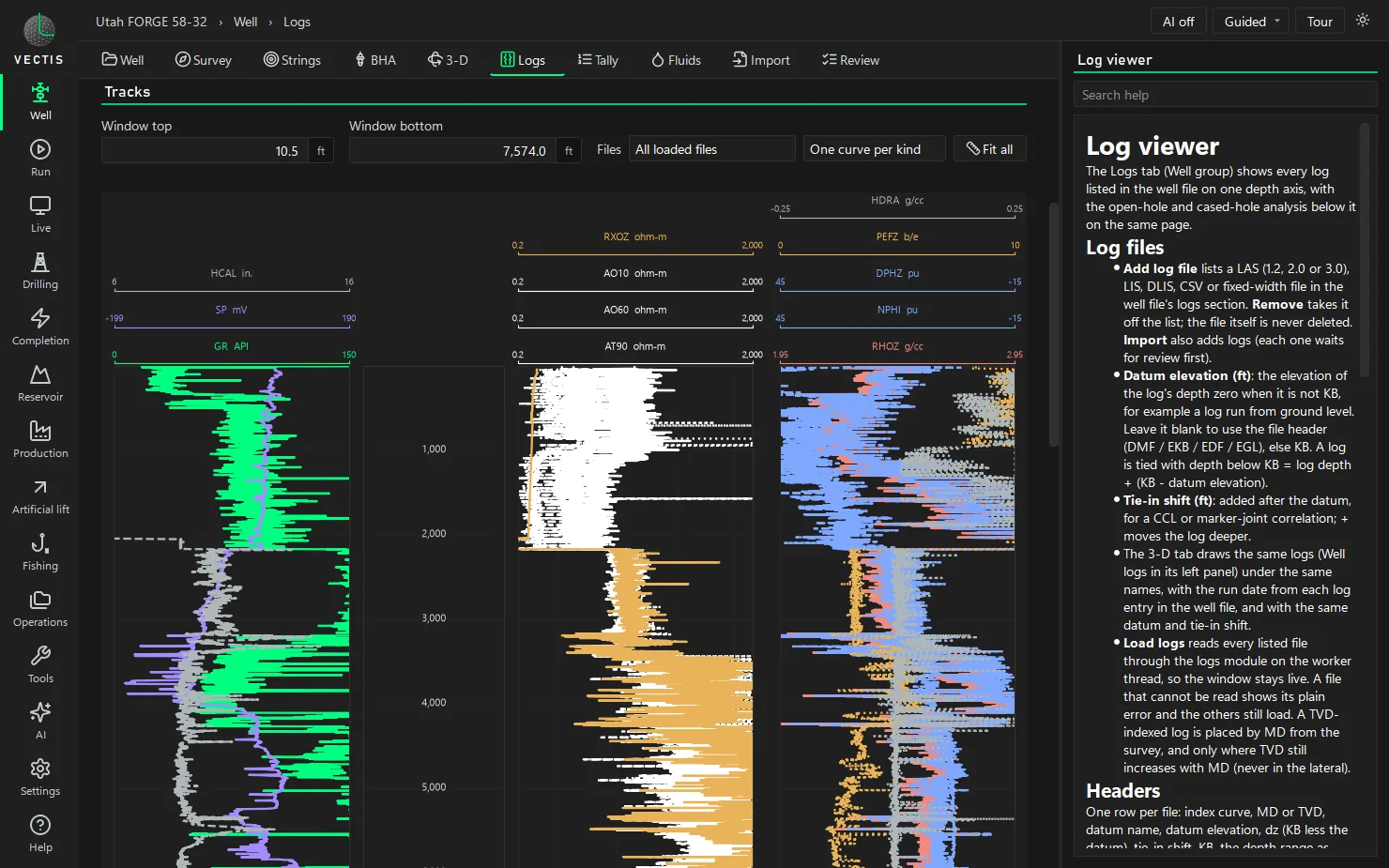
- ModuleOpen-hole log analysisData QC, shale volume, porosity, water saturation (Archie and shaly-sand models), lithology and mineral volumes, permeability, organic shale, NMR, rock mechanics, pore pressure and stress, image and dip, net pay and volumetrics. Every automatic pick is reported with how it was made.
- ModuleCement and casing evaluationCBL / VDL and ultrasonic cement evaluation (bond index, top of cement, isolation intervals and coverage), multi-finger caliper casing inspection (ID, penetration, ovality, metal loss and drift, string by string, collars from the CCL), pulsed neutron, and production logging, temperature and pressure.
- ModuleLive monitoring and operationsRead-only replay or live feeds from WITSML 1.4.1.1 and 2.1, ETP 1.2 and WITS level 0, with rig state, alarms against the model and a post-job report. Daily reports with IADC time codes, nonproductive time, cost against the AFE, offset wells and well schematics.
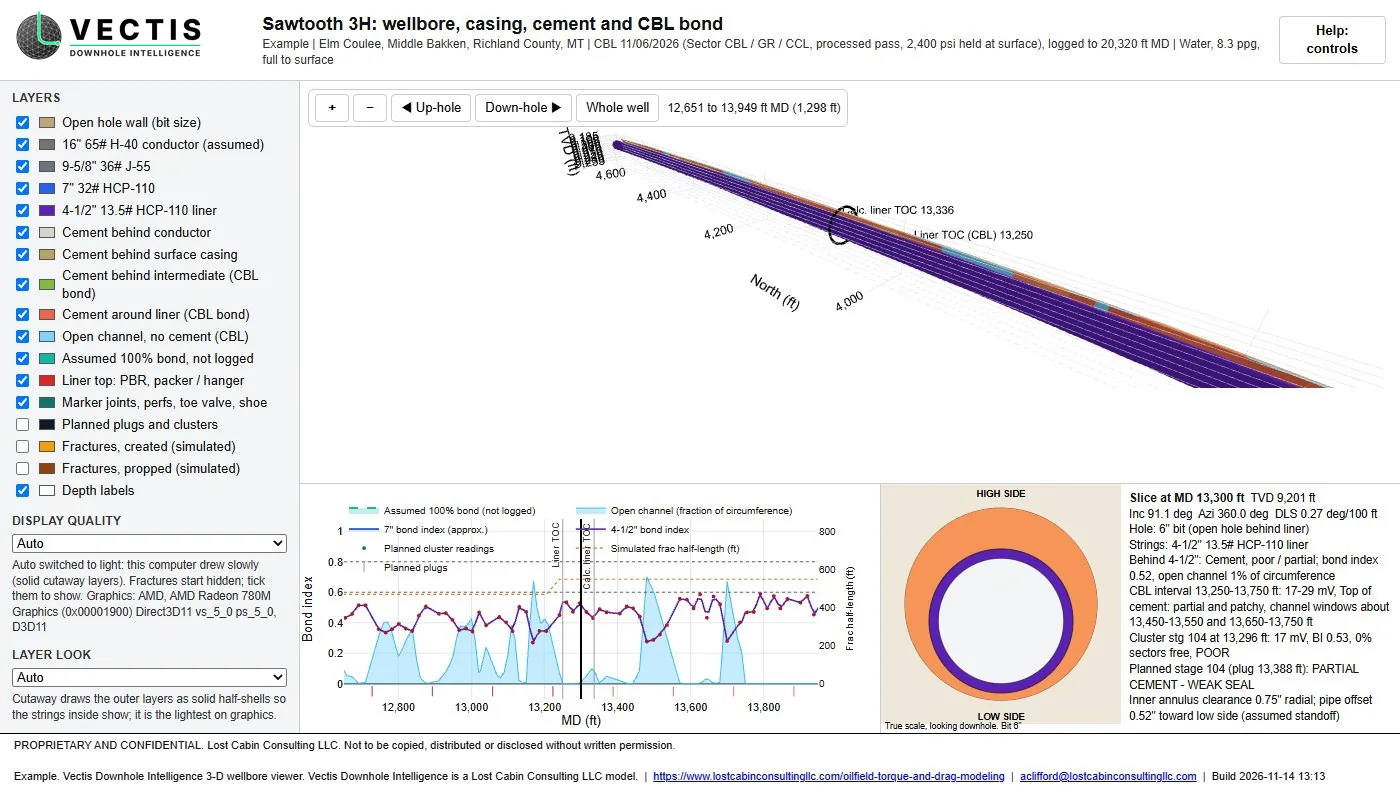
- Module3-D wellbore viewersPad well paths from the surveys, and a layered wellbore with every casing string, the cement colored by bond index, the caliper hole size and any log on a ring around the hole. Fractures, casing wear, breakouts and well proximity can be layered on. One file that opens offline in any web browser.
- ModuleEngine check and AI assistant (optional)Vectis checks every run for solves that did not converge, lockup, inputs out of range, survey errors, jobs outside its validated range and disagreement with rig readings. The optional AI, on your own AI account, app or local model, finds the cause with engine evidence, walks through the math behind a result, and proposes fixes that Vectis proves in the engine before you accept or reject them. It also answers questions, runs what-if cases, reads documents into staged values and drafts notes. Vectis computes every number.
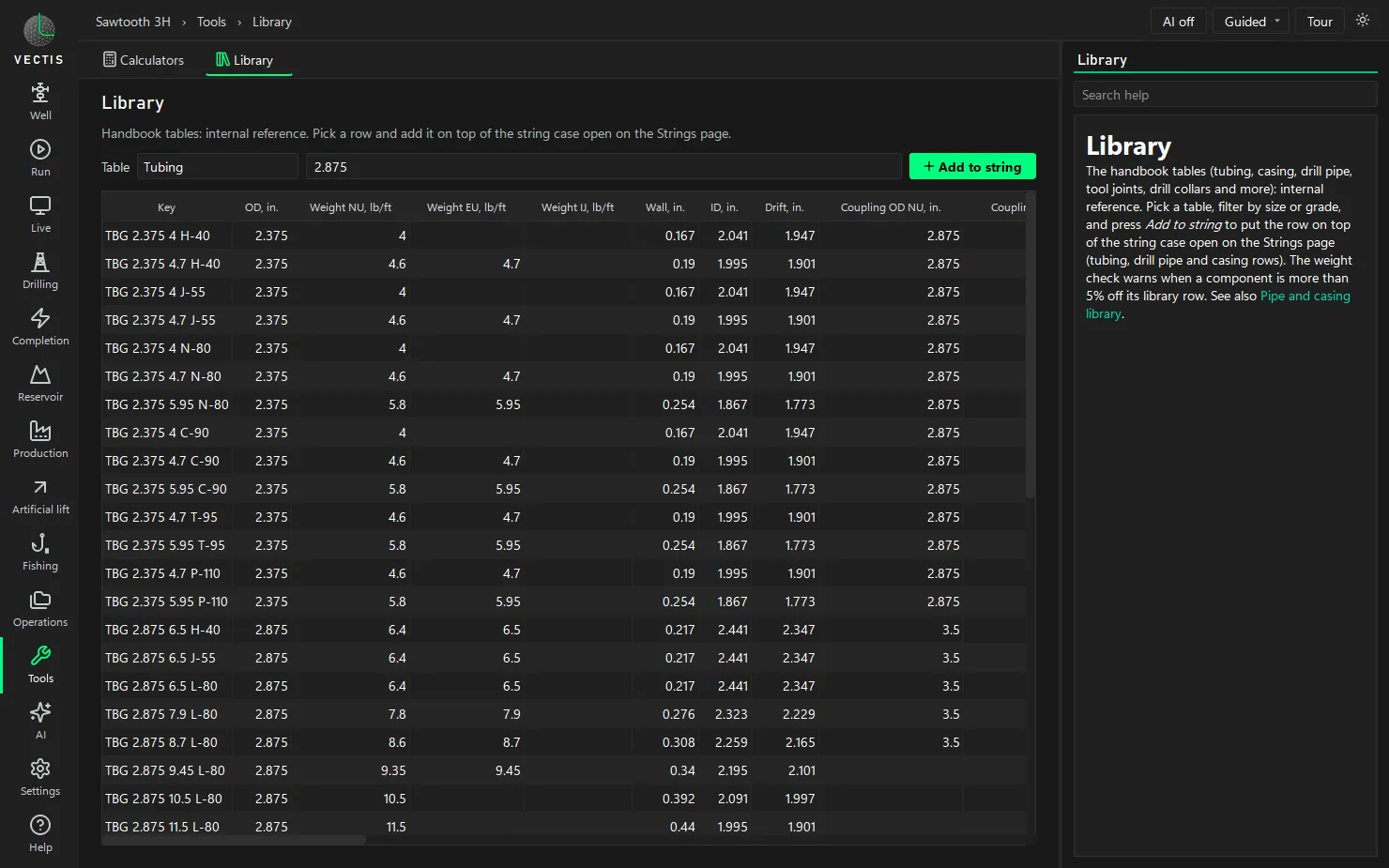
- ModuleEngineering reference libraryMore than 102,000 rows in 73 tables of pipe, tubing, casing, connection, sucker rod, ESP, fluid and downhole tool data, searchable on the app's Library page. Pick a row and add it to a work string.
- ModuleReports and data outA one-page letter-size PDF per job with the basis, the bottom line and the charts, from torque and drag to kill sheets, fishing plans and frac reports; composite log and crossplot pages; tables to CSV and Excel, and log results back to LAS 2.0 for your own software.
Vectis Downhole Intelligence is in active development. New modules are being built and the existing ones extended now; this page lists only what runs today.
The desktop app
Vectis runs as a Windows desktop app in dark or light mode. Each module has its own page with the inputs, the run, the charts and built-in help beside them, and every input is checked against its valid range before a run. These are screenshots of the app on the Sawtooth 3H example well, with the public Utah FORGE 58-32 logs on the Logs page. Click any picture for full size.
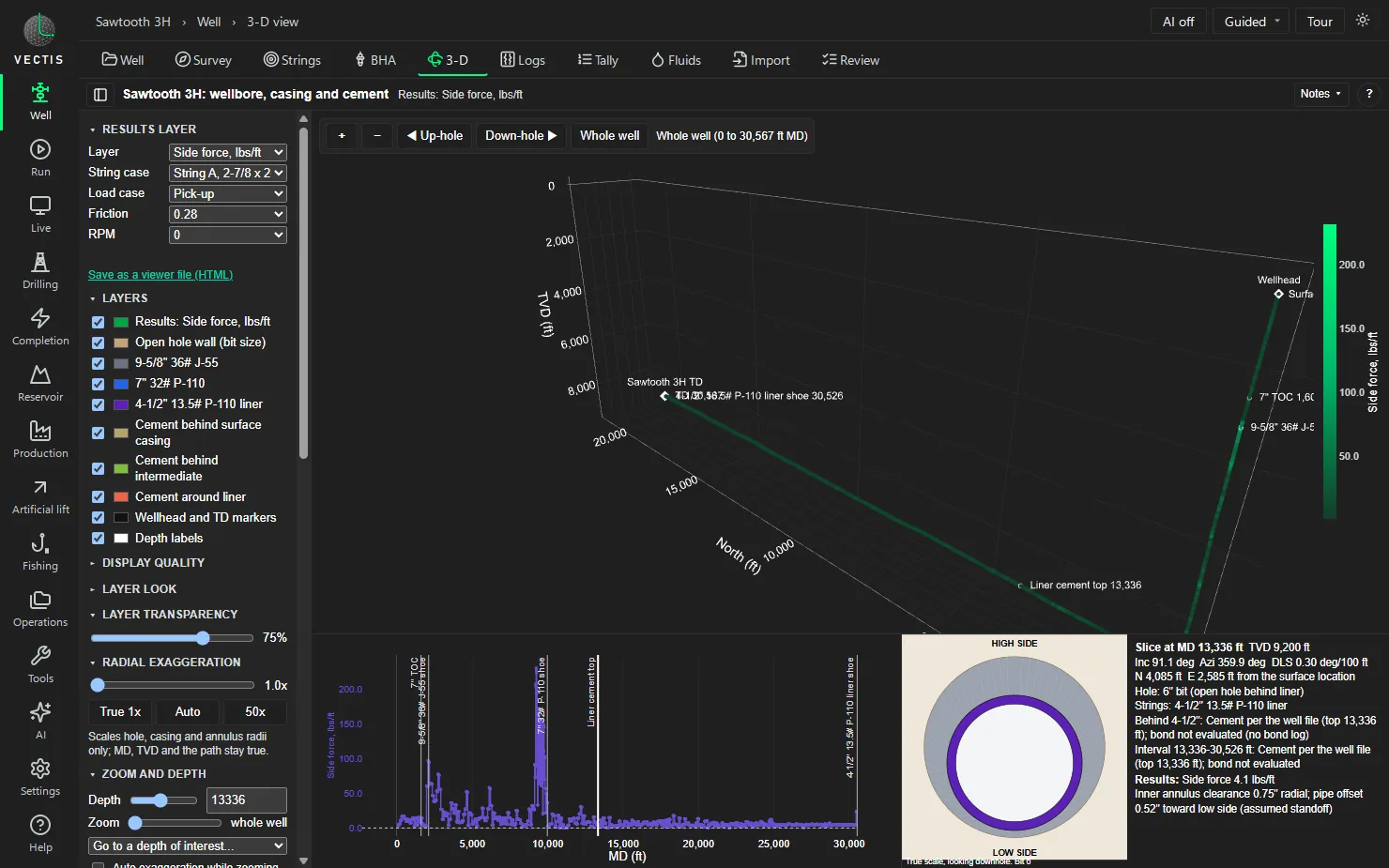
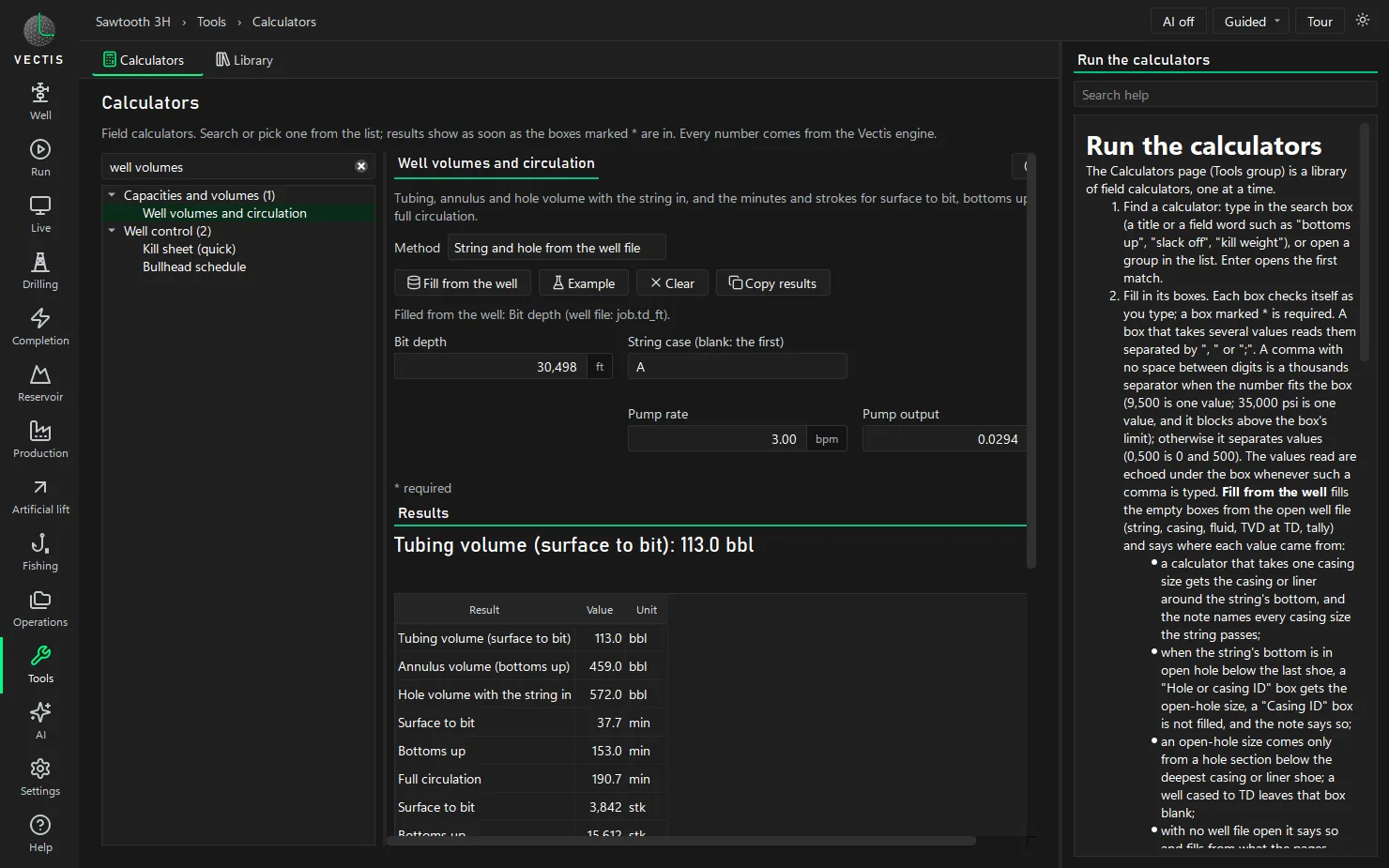
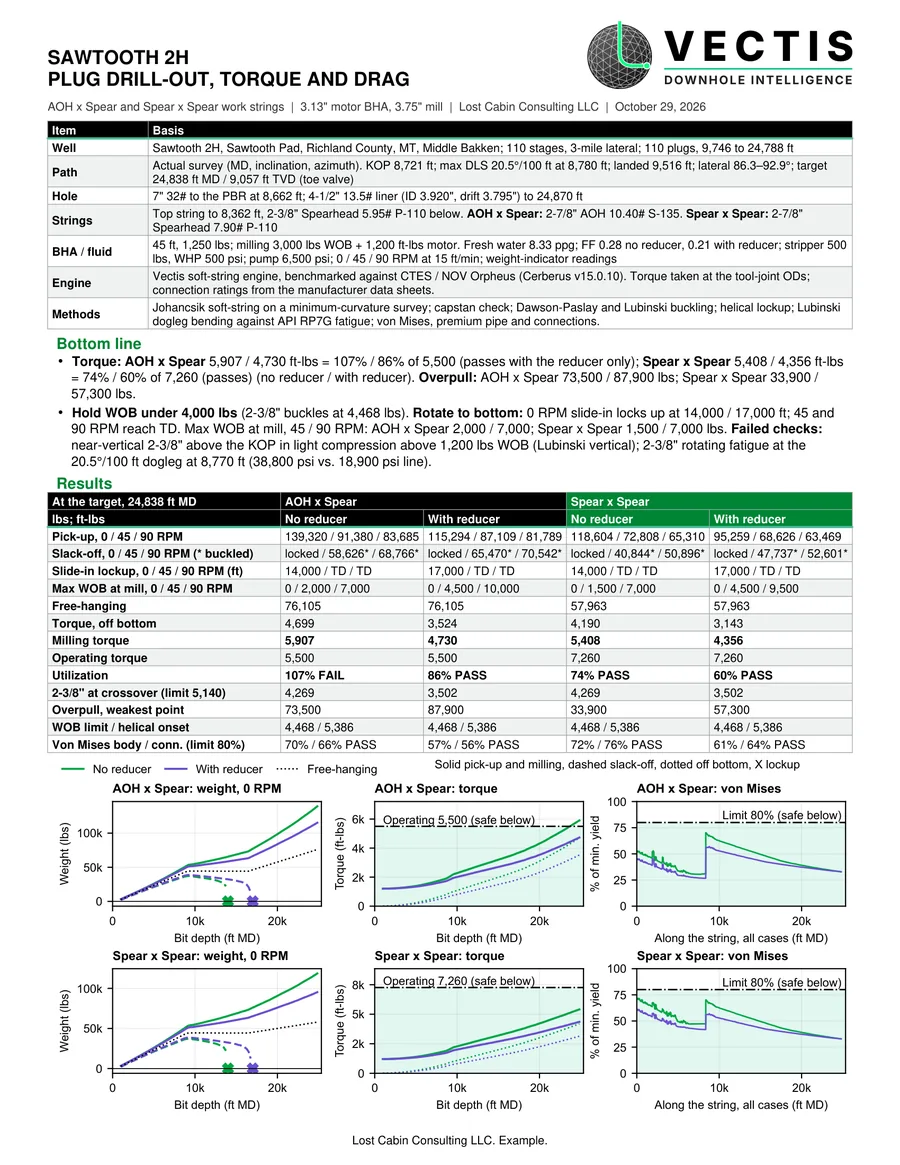
More torque and drag output, including the app's Results page, is on the torque and drag modeling page.
Engine check and AI, on your terms
Every Vectis run is checked. The engine looks for solves that did not converge, strings that lock up, inputs out of range, survey stations that disagree with their own DLS column, jobs outside the conditions Vectis has been validated on (benchmark wells and public field data), and results that disagree with your rig readings. The optional AI works on what that check finds, with the AI you already use: your own AI account, your own AI desktop app calling Vectis as a local tool server, or a model running on your own computer with nothing leaving it. Vectis computes every number.
- Finds the cause: the AI asks the engine what drives a problem (which input, survey station, method or assumption) and answers with the engine's own evidence, such as an azimuth that disagrees with the survey sheet's DLS column, or rig readings that point to a different mud weight.
- Shows the math: it walks through the method behind a result from the Vectis engineering reference, with Vectis's own hand checks (buoyed weight, pick-up, torque) and formula checks run against the engine.
- Proposes fixes, proven first: Vectis reruns the job with each proposed fix and offers it only if the problem clears without a new one. You accept or reject every fix; nothing is applied on its own.
- Flags the engine itself: when the evidence says the engine, not the inputs, is wrong, Vectis holds the report and logs the case with a reproducer for correction.
- Still your assistant: it answers questions about a job, runs Vectis calculations and what-if cases (what if friction is 0.30?), explains warnings, answers from the help topics and your own manuals, reads survey sheets, shot sheets, pump schedules, tallies and mill sheets into staged values, and drafts notes and emails with the Vectis numbers filled in.
- What it cannot do: compute, round, convert or change an engineering number. Every number in an answer is a Vectis result or a number you typed; an answer with any other number is withheld.
- A person accepts every value. Values the AI prepares are marked not reviewed and pass the same input checks as typed values, plus a check against the text they were read from. Nothing reaches the well file until you accept it, and no calculation runs while values wait.
- You control what is shared. AI is off by default. Each job has a share level: off, help only, a summary with the well name, API number, operator, location and company names stripped, or full. A log lists every request sent, with an optional preview before send, and one keystroke turns AI off.
- Local-only mode: run the assistant on a model on your own computer, and Vectis refuses any outside address before a connection opens.
Built on published methods
- Torque and drag: Johancsik soft-string model on a minimum-curvature survey interpolated to a 10 ft grid, a velocity-ratio friction split between tripping and rotation, and the capstan equation as an independent hand check.
- Buckling and lockup: Dawson-Paslay sinusoidal buckling with a curved-hole correction, Lubinski vertical buckling, and Chen and Mitchell helical buckling and contact force for slide-in lockup and the most weight that reaches the mill.
- Fatigue and stress: Lubinski dogleg bending against the API RP7G fatigue limits, von Mises equivalent stress on premium-class pipe at every node, and a connection tension and torque check, held to 80% of rating.
- Jar placement: a stress-wave method for the impact and impulse delivered to the stuck point. Impact and impulse are model estimates for comparing placements, not guaranteed loads.
- Well control: the static kill sheet plus a drift-flux kick model that follows the kick and the kill in time.
- Geomechanics: stresses around the hole at any inclination and azimuth, with Mohr-Coulomb, Mogi-Coulomb and modified Lade failure criteria.
- Fracturing: layered pseudo-3D growth with PKN, KGD and radial limits, Carter leakoff, limited entry and stress shadow, and G-function closure analysis.
- Reservoir and production: Laplace-space pressure transient solutions, Blasingame and flowing material balance rate analysis, nodal analysis and a cubic equation of state.
- Log analysis: 135 programmed methods in 19 families, each validated with hand calculations, closed-form identities and synthetic round trips.
The torque and drag engine is benchmarked against industry-standard commercial software at about 3% on hookload and 0.3% on torque on a matched job, and every rebuild is checked against jobs already delivered.
Example output
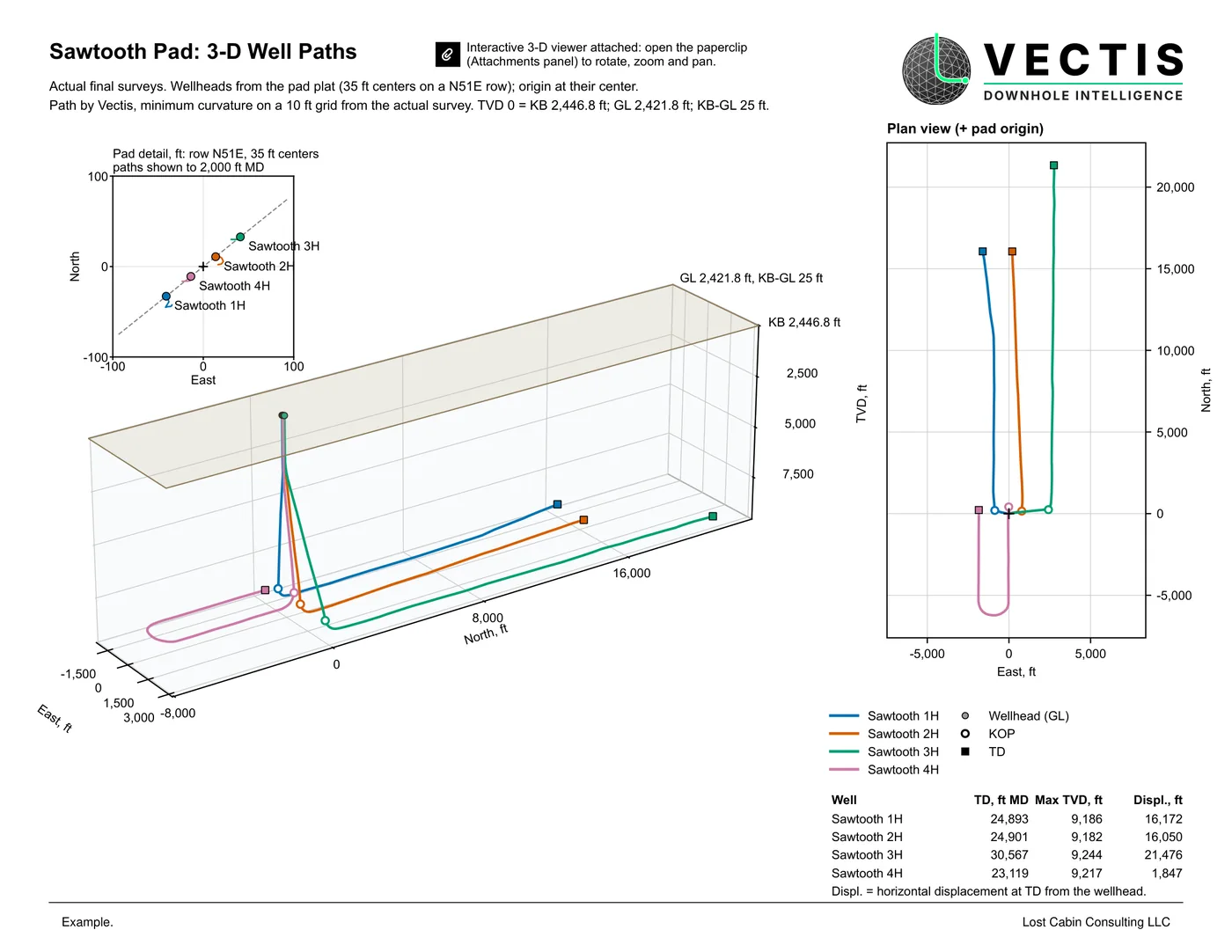
Open the 3-D viewer Open the cement viewer
Sawtooth Pad and Sawtooth 3H. Example. Each viewer has a Help: controls button. About 5 to 7 MB each; best on a computer or tablet.
How to use it
- Send the well files. Survey, wellbore, work string and BHA, fluids, the job, and any logs (LAS, DLIS or CSV; a PDF print works).
- We run Vectis. We ask only for what the files cannot supply, and every report states the data it was built on.
- You get the answers. One-page PDF reports, charts, the 3-D viewers and, for logs, LAS results for your own software.
Questions
What is Vectis Downhole Intelligence?
Vectis Downhole Intelligence is Lost Cabin Consulting's own well engineering software suite. One well file (survey, wellbore, work string, BHA, fluids and the job) drives modules for torque and drag, coiled tubing, wireline and snubbing, fishing and jar placement, hydraulics and well control, drilling and directional planning, well construction, geomechanics, thermal, hydraulic fracturing, reservoir and production, artificial lift, log analysis, cement and casing evaluation, live monitoring and interactive 3-D wellbore viewers. It runs as a Windows desktop app. It is our own code, built on published industry methods.
Is torque and drag modeling part of Vectis?
Yes. Torque and drag is the Vectis module most jobs start with: hookload, torque, buckling, lockup, fatigue and von Mises stress on your actual survey, benchmarked against industry-standard commercial software at about 3% on hookload and 0.3% on torque on a matched job.
How do I use Vectis on my well?
Send the well files and the job. We run Vectis and send back the reports, charts and viewers. Each job is quoted on request; prices are not published.
What data can Vectis read?
Directional surveys in Excel, CSV or PDF, the casing program and wellbore schematic, work string and BHA data, and wireline logs in LAS, DLIS or CSV. A scanned log print can be traced. Results can be written back out as LAS 2.0.
How many log analysis methods does Vectis have?
135 programmed methods in 19 families, from data QC and shale volume to cement evaluation, casing inspection, pulsed neutron, production logging and volumetrics. Each method is validated with hand calculations, closed-form identities and synthetic round trips.
Can Vectis read live rig data?
Yes. Vectis reads WITSML 1.4.1.1 and 2.1, ETP 1.2 streams and WITS level 0 feeds, or a data file after the job, and checks the hookload and torque against the model with rig-state detection and alarms. It only reads; it never sends anything to the rig.
Does Vectis use AI?
Only if you want it. Every run gets the Vectis engine check, with AI on or off. The AI is off by default and nothing leaves the computer while it is off. When it is on, it works from engine evidence: it finds what drives a problem, explains the methods and proposes fixes, and every fix and every value waits for a person to accept it. The engineering numbers always come from the Vectis engines, not from the AI.
Do I need to install anything?
No. Reports are PDF files and the 3-D viewers are single files that open offline in any web browser, with no internet or software needed.
Is Vectis finished?
No. Vectis is in active development and modules are being added and extended now. This page describes what runs today; a release build of the desktop app and a shared web viewer are in progress.
Vectis results are engineering estimates built from the data you send. See the disclaimer.
Request a quote
Email your well files with the job type in the subject line, or reach Adam on LinkedIn. Quotes on request.